
It might be a suspicious login on one of your accounts, or an employee who clicks a link in an email and enters their password into an unfamiliar login page. It might be an attachment that leaves a computer behaving strangely, or a customer who receives an email from your business that no one sent.
Does your business have structured managed IT services in place? And do you know how an incident like this would affect your business if there were no plan for dealing with it?
Many businesses don’t consider these questions until something has already gone wrong. They may have someone who fixes the occasional computer problem, but no managed IT service looking after their systems, security and backups day to day.
A properly managed IT environment should prevent many common cyber incidents in the first place, not just help clean them up afterwards. The right security controls, monitoring and maintenance can stop a malicious link from reaching an inbox, or stop a stolen password from being enough to get into an account. At Think Concepts, this ongoing security monitoring and protection is provided through our service called Security Plus Managed Services.
But no set of controls stops every incident. When one gets through, the first 48 hours are critical. The time it takes to find help, contain the problem and preserve information can shape how quickly your business recovers. If your IT provider already knows your systems, that time goes into responding rather than finding support.
This guide to cyber incident planning explains what to put in place now: who to call, what your plan should include, how long recovery could take, and how to check that your backups are ready.
Cyber incident planning starts with who you will call
Your cyber incident plan should start with knowing who you will call if something goes wrong.
Trying to find the right IT support while an incident is already happening adds time when you need help quickly. Having an IT provider in place means they already know your business and systems and have much of the access they need to start investigating.

When choosing an IT provider, make sure you understand:
How to contact them if you suspect a cyber incident
What information they will need from you
Who within your business can contact them
What access they will have to your systems
What employees should do while waiting for technical advice
For Think Concepts managed services customers, remote monitoring and management tools are already installed on supported devices. This means our team has existing access to those systems when an incident needs investigation.
If you do not have an IT provider when an incident occurs, Think Concepts can still help. It will take some additional time to understand your environment and establish the access needed to begin investigating.
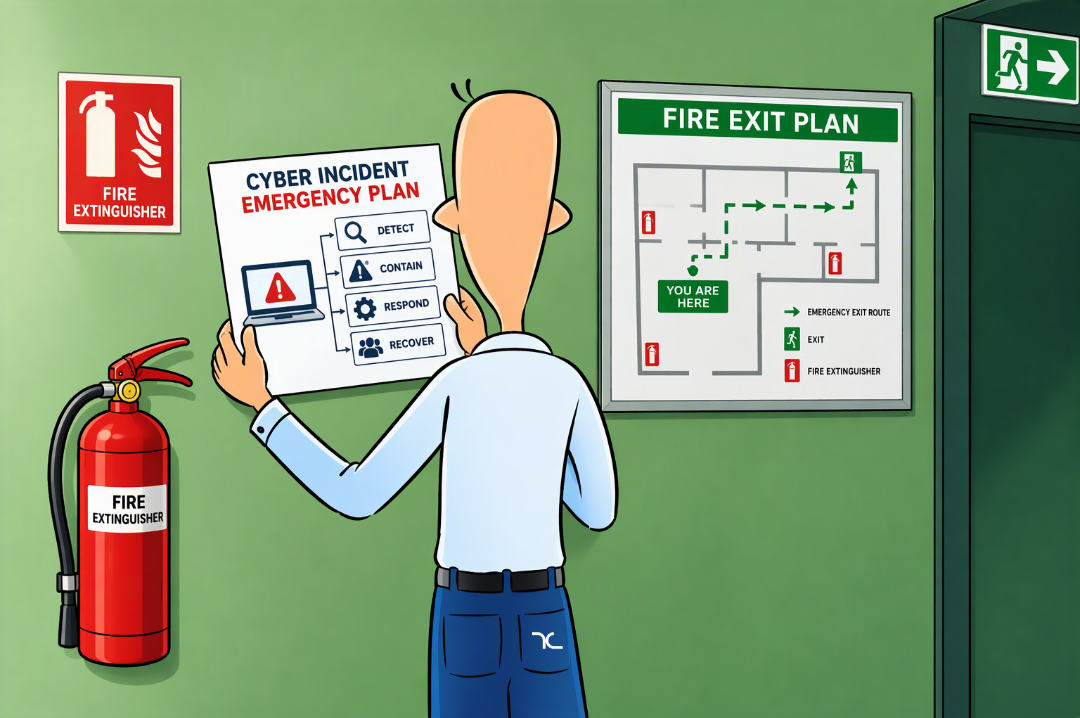
Create a simple incident response plan
An incident response plan does not need to be a long technical document. It needs to tell people what to do when something unusual happens.
Include:
The name and contact details of your IT provider
Who employees should notify internally
Who can make decisions during an incident
Which systems are most important to the business
Where backup and insurance contact details are stored
How actions and decisions will be recorded
Who will manage communication with employees and customers
Store a copy somewhere that remains accessible if your normal systems are unavailable.
Think Concepts can work with businesses to prepare an incident response plan and identify the systems that should be recovered first.
Understand how long recovery may take
Businesses often have an assumed recovery time but have never tested it.
Consider how long it would take to:
Secure affected accounts
Check or rebuild computers
Restore files from backups
Restore access to essential systems
Confirm that employees can work safely
For one customer we helped with recovery planning, we found that rebuilding every device and restoring their essential systems could take around seven days. Knowing this gave the business a realistic timeframe to plan around if a serious incident occurred.
Your recovery time will depend on the incident, your systems, the condition of your backups, and the support arrangements already in place.
Check your backups before you need them
Know what is backed up, where those backups are stored, and how information would be restored.
Files stored or synchronised in Microsoft 365 are not automatically the same as having a separate backup. If information is deleted, changed or made unavailable during an incident, a separate backup gives your business another way to recover it. ThinkSafe provides off-site backups that are kept separately from your main systems, so there is another copy available if your primary data is affected.
Having the right monitoring in place can also help spot suspicious activity earlier. Security Plus Managed Services provides ongoing security monitoring, giving our team more information to work with if something unusual occurs.
Do not wait for an incident to choose your IT provider
A plan cannot prevent every cyber incident, but it removes one major question from the first few minutes: who do we call?
Choose your IT provider, confirm how incidents should be reported, and make sure employees know the process. Review your backups and identify the systems the business needs first during recovery.
If you do not have an IT provider, Think Concepts can help you put these arrangements in place before an incident happens.
Already dealing with a suspected incident? Read our guide: Cyber incident response: what to do in the first 48 hours.
Quick answers to common questions:
Can managed IT services prevent cyber incidents?
A properly managed IT environment can prevent many common cyber incidents. Security controls, monitoring and maintenance can stop a malicious link reaching an inbox or a stolen password unlocking an account. But no controls stop every incident.
Why should I choose an IT provider before something goes wrong?
Finding IT support during an incident adds time when you need help quickly. An established provider already understands your business, knows your systems and has much of the access needed to start investigating.
What should a cyber incident response plan include?
Your IT provider’s contact details, who to notify internally, who makes decisions, your key systems, where backup and insurance details are stored, how actions are recorded, and who manages communication. Keep a copy somewhere accessible if your systems are down.
How do I work out how long recovery would take?
Estimate how long it would take to secure accounts, check or rebuild computers, and restore backups and essential systems. Record these steps and timeframes in a disaster recovery plan so your business can act on them quickly.
How can Think Concepts help us prepare?
We can help you prepare an incident response plan, identify which systems to recover first, and keep separate off-site backups through ThinkSafe. Managed services customers also have remote monitoring tools installed, so our team already has access if needed.